


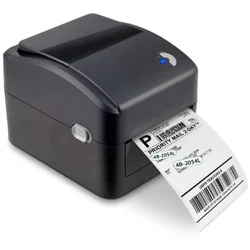
Thermal Label Printer
Description
thermal label printer, here are some key features to consider:
🖨️ Printing Technology:
- Direct Thermal: No ink or toner needed; uses heat-sensitive labels. Ideal for short-term labels like shipping.
- Thermal Transfer: Uses a ribbon to transfer ink onto labels. More durable and suitable for long-term labeling.
📏 Print Resolution:
- Standard: 203 dpi (sufficient for shipping labels, barcodes).
- High-Resolution: 300 dpi or higher (for detailed graphics, small text, or high-density barcodes).
📏 Print Speed:
- Typically ranges from 4 inches per second (ips) to 12 ips. High-speed models are useful for large-volume printing.
📐 Label Size Compatibility:
- Check the maximum and minimum width of labels the printer can handle.
- Some printers can auto-adjust to different label sizes.
🔌 Connectivity Options:
- USB: Standard and reliable.
- Ethernet: For networked printing.
- Wi-Fi/Bluetooth: For wireless printing, ideal for mobile setups.
- Serial/Parallel Ports: Useful for legacy systems.
💻 Compatibility & Integration:
- Operating Systems: Windows, macOS, Linux.
- Software Integration: Works with label design software, shipping software (e.g., ShipStation, Shopify, Amazon).
📦 Media Handling:
- Roll or Fan-Fold Labels: Depending on your label format.
- Peeler & Cutter: Automatic peeling of labels or cutting them to size.
🎛️ Ease of Use:
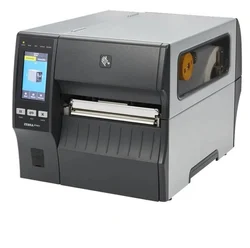
- LCD Display: For easy configuration.
- Buttons & Controls: Simplifies setup and operation.
🌐 Additional Features:
- Barcode Printing: 1D/2D barcode support (e.g., QR codes).
- Label Sensors: Detects gaps, marks, or label ends.
- Durability: Especially for industrial models (dust, moisture-resistant).
🔋 Portability:
- Battery Option: For mobile use cases, like in warehouses or retail.


Reviews
There are no reviews yet.